POS Terminal vs POS Machine: Is There Really a Difference?
Oh yes, and it's not just a matter of techy lingo.
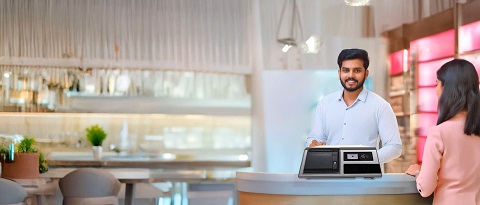
A POS terminal is the entire checkout setup. Think of it as the control center of your sales. It includes hardware (like the touchscreen, barcode scanner, and cash drawer) and software (billing, inventory, customer management, etc.).
A POS machine, more specifically, refers to the actual unit that makes payment processing at a shop easier for customers by means of swiping, tapping, or inserting cards.
Knowing the difference between these terms helps in making informed decisions for your business.
Why Is Picking the Correct POS Machine Important?
Let’s be honest, no one wants to wait in a slow line, deal with double-charged cards, or wrestle with “system not responding” errors.
A good POS machine can:
Cut transaction time in half
Reduce manual errors
Conduct inventory and billing synchronization.
Handle various payment methods, including card payments, UPI, QR codes, and digital wallets.
Offer sales data & analytics in real-time
And the best part? It helps your staff stay sane during peak hours.
How to Choose the Best POS Machine: The 7-Point Smart Checklist?
Alright, here comes the core of the blog. You want to choose the best POS machine, not just any old piece of hardware with a fancy screen.
1. Know Your Business Needs
Running a quick-service restaurant? A mobile POS with payment integration might do. Managing a multi-location apparel store? You’ll need a full-blown POS terminal with centralized inventory control.
Ask yourself:
- Do I need portability?
- How many transactions per day?
- Do I need barcode scanning or item-level tracking?
- How many employees will use it?
2. Look for Multi-Payment Support
Your customers are paying with cards, UPI, wallets, and even points or loyalty apps. The best POS machine should support:
- Credit/Debit cards (NFC, EMV, magstripe)
- UPI & QR codes
- Wallets like Paytm, Google Pay, PhonePe
- Loyalty programs, coupons & offers
The more flexible your POS, the more frictionless your billing.
3. Speed & Reliability
Sluggish systems are a nightmare. Choose a POS machine with:
- Fast processors
- High-speed printing
- Minimal downtime
- Easy maintenance
Nothing should slow down your business, not even on a festive sale day!
4. Software Compatibility & Updates
Your hardware is only as good as the software running it. Choose a POS terminal that:
- Runs on updated POS software
- Offers cloud syncing
- Enables instantaneous retrieval of data
- Gives timely updates with minimal difficulty
Bonus points if it integrates with your accounting and CRM tools!
5. User-Friendly Interface
You don’t need a PhD to operate your checkout system. The best POS machines offer:
- Simple UI
- Customizable dashboard
- Easy training for new staff
If your team can use it without “tech support drama,” you’ve found a winner.
7. After-Sales Support & Warranty
Check if your provider offers:
- Quick customer support
- On-site servicing
- Warranty (at least 1 year)
You're not just buying a device, you're buying peace of mind.
Bonus: Features to Look For in the Best POS Terminal
If you're going beyond just payment and looking at full retail control, your POS terminal should also offer:
- Inventory management
- Sales analytics & reporting
- Employee logins & shifts
- Discounts and promotions tracking
- Integration with eCommerce or online ordering platforms
That’s like going from a calculator to a command center.
Industry Insight: Who’s Using What?
Let’s break it down real quick:
| Business Type | Suggested POS Type | Notes |
| Food Truck | Handheld POS Machine | Battery backup is key |
| Retail Chain | Full POS Terminal System | Multi-store sync is a must |
| Salon or Spa | Compact POS Terminal | Include appointment booking |
| Supermarket | Touchscreen POS Terminal | Need barcode scanner, high-speed printing |
| Café or QSR | Hybrid POS Machine | Speed and ease-of-use wins here |
No matter your category, one thing’s consistent: a smart POS terminal or POS machine gives your business the boost it deserves.
Conclusion: It’s Not Just a Machine, It’s a Business Partner
Furthermore, focusing on your current and future business needs makes a difference, be it an all-in-one POS terminal or a compact payment processing POS device. Ready to switch to the best POS machine? Let us help you find the perfect match for your business. Reach out for a free consultation today, because the only thing outdated should be last year’s billing slip.